CCTV
CCTV installation and repairs
Cameras on the gate, the driveway and the boundary, a recorder that keeps what they see, and the whole system on your phone: we install CCTV for homes, complexes and businesses across Johannesburg, the East Rand and Centurion, and repair the systems that have gone dark.
Six-month guarantee on our repairs
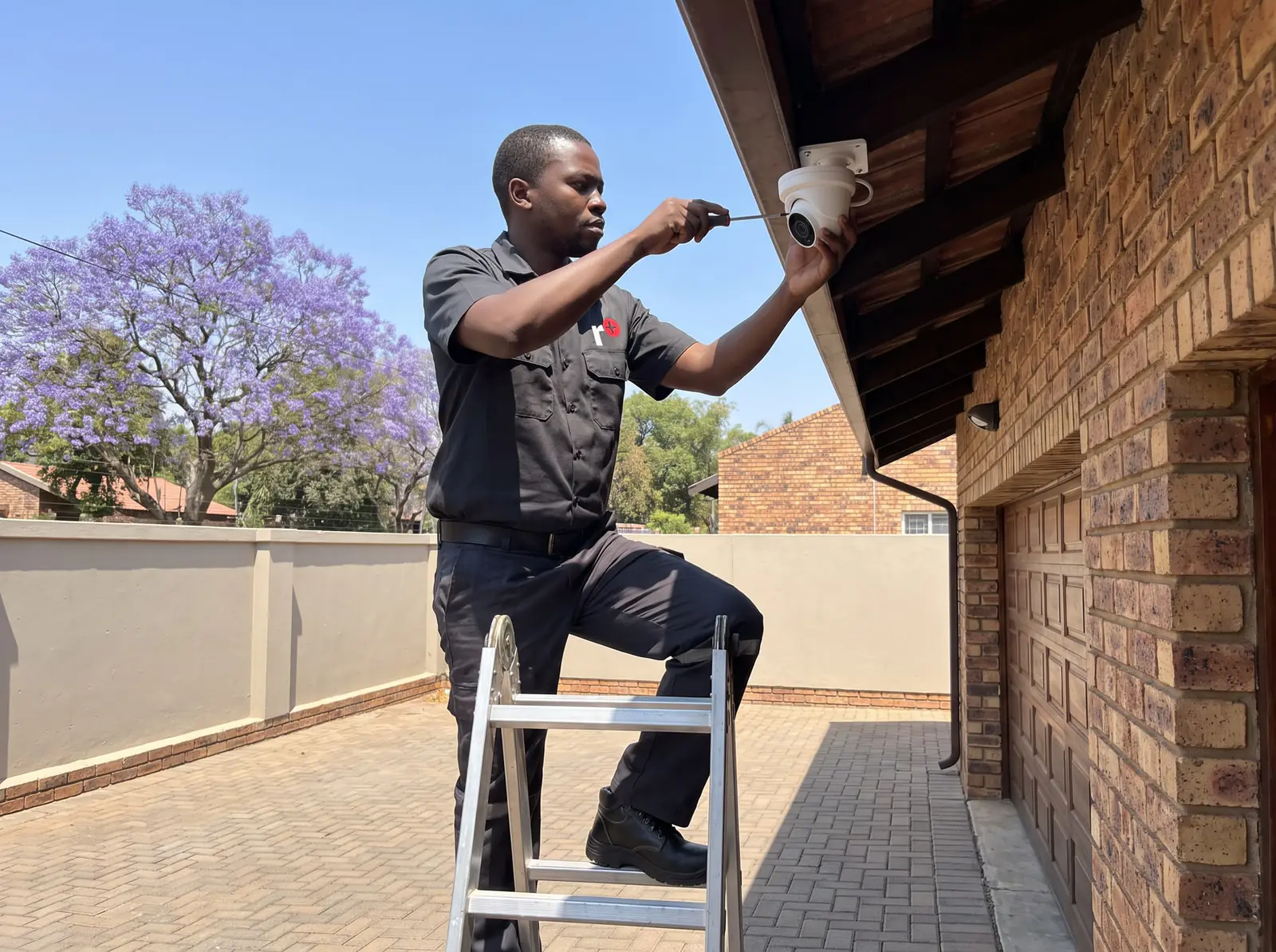
What a CCTV installation includes
A CCTV system is the cameras, a recorder that stores their footage on a hard drive, the cables or network that join them, power for all of it, and an app that puts it on your phone. An installation covers every part:
- A walk round the property to agree where the cameras go and what each must see: the gate and the street, the driveway, the doors, the side passages and the boundary walls.
- Cameras chosen for each spot: wide views for a yard, narrower ones for a gate, colour-at-night models where there's no lighting.
- Cabling run neatly and protected outdoors, back to the recorder in a secure place inside.
- The recorder and hard drive, sized for the number of cameras and how many days of footage you want to keep.
- Phone viewing set up on your phone and anyone else's who needs it, and shown to you before we leave.
We install Hikvision, HiLook and Dahua systems, and work on most existing systems from the same families.
Choosing cameras
The two common shapes are domes, which sit flush under an eave and are harder to knock out of line, and bullets, which point further and are more visible, which is part of their purpose. Turrets sit in between.
More pixels mean more detail when you zoom into a recording, which matters at a gate where you want a face or a number plate, and matters less for a camera watching a back garden. Night vision is the other big choice: standard cameras switch to black-and-white infrared in the dark, while full-colour night cameras, such as Hikvision's ColorVu range, keep colour with a little light from the street or a built-in lamp.
Placement counts as much as the camera. A camera too high sees the tops of heads; one pointing into the sun at the end of the day sees glare; one behind glass sees its own reflection at night.
DVR or NVR
There are two kinds of system, and most homes in Gauteng have one or the other:
- A DVR system uses analogue HD cameras on coaxial cable. It's the more affordable route and still gives sharp pictures, and it's what many existing installations use.
- An NVR system uses IP cameras on network cable, usually powered over the same cable. It allows higher resolutions and extras like two-way audio and smarter detection, and is easier to extend.
If you already have a DVR system and good cable runs, upgrading cameras and the recorder within the same family is often cheaper than starting again. How long footage is kept depends on the hard drive size, the number of cameras and their resolution, so we size the drive to the days of recording you want.
When a system stops working
The calls we get most:
- A camera shows "no signal" or "offline". A cable fault, a failed power supply, water in a connector, or the camera itself. See a camera that won't show on the recorder.
- The picture is fine by day and black at night. The infrared lights have failed, or a spider web or dust on the lens is reflecting them back.
- The recorder isn't recording. Usually a failed or full hard drive, which the recorder warns about if anyone is listening.
- Phone viewing has stopped. A new router, changed Wi-Fi details or an app update has broken the link; the cameras are often fine.
- Everything is dead after a storm or load-shedding. A surge has taken out a power supply, the recorder or a camera.
Our CCTV repairs page goes through each part of the system and how we fix it. All our spare parts are genuine, and every repair comes with our six-month guarantee on our repairs.
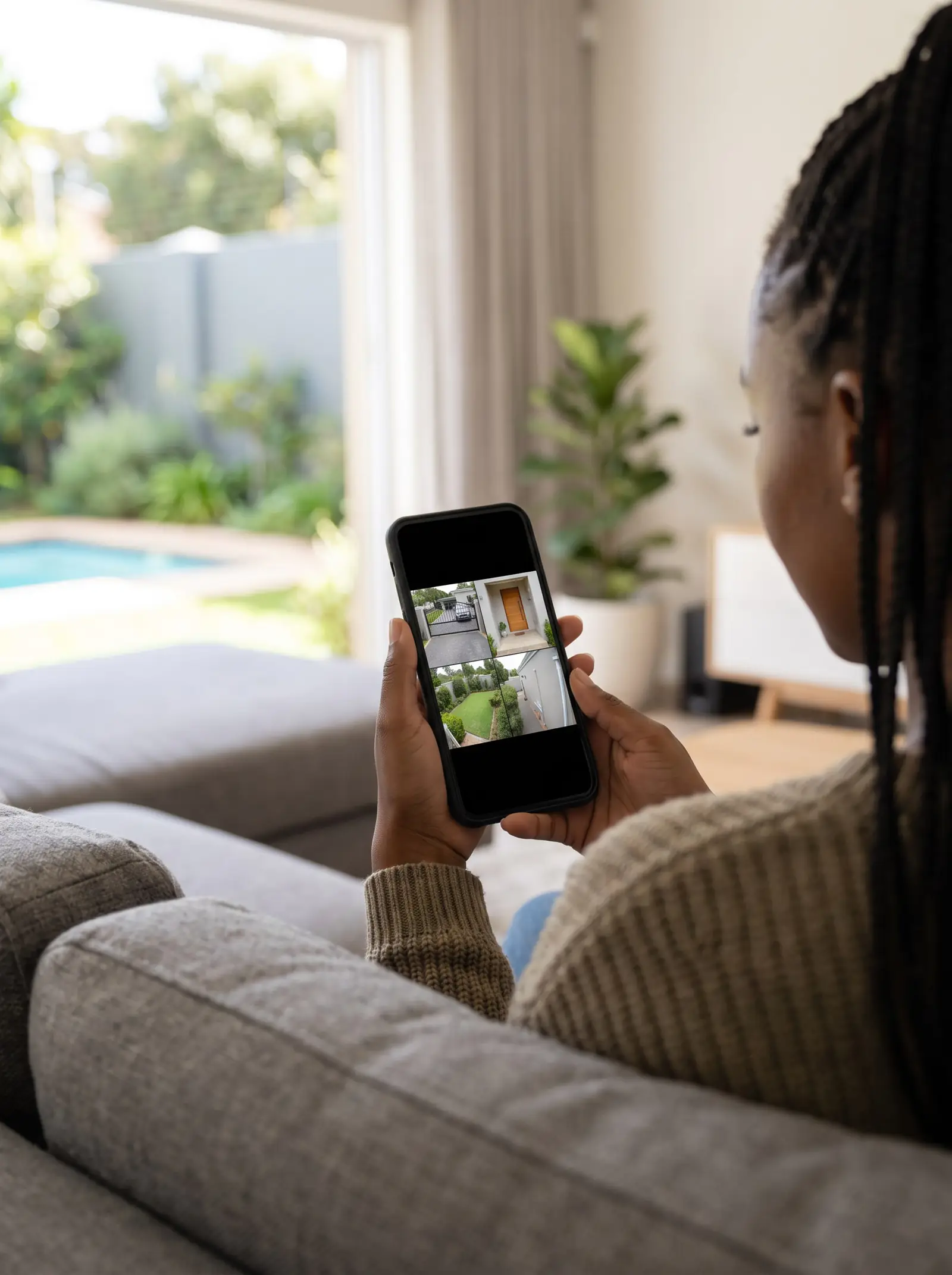
Viewing your cameras on your phone
Hikvision and HiLook systems are viewed through Hik-Connect, and Dahua systems through Dahua's own app. Both connect your phone to the recorder over the internet, so the recorder needs a working internet connection at home, and the link has to be set up again if the router is replaced.
When we install a system, we set up the app on your phone, add family or staff who need access with only the rights they need, and check that live view and playback work away from your Wi-Fi. Our guide covers it step by step.
Power cuts and CCTV
Without backup, CCTV goes off with the power and records nothing until it returns. A UPS that runs the recorder, the camera power supply and the router keeps the system recording and viewable through load-shedding, and protects it from the surge when the power returns.
How long it runs depends on the UPS and how many cameras it powers, so we size it to the outages you expect.
Cameras with your gate and intercom
The gate is where most of a property's comings and goings happen, so it's where a camera earns its keep. A camera covering the gate and the street outside shows who's waiting before you open, catches the car that follows you in, and records the number plates of anything that stops outside.
Because we also install and repair gate motors and intercoms, we can plan the three together: a video intercom at the pedestal for talking to visitors, a CCTV camera above it for recording, and the gate motor and its safety beams working with both. For a complex, the same thinking applies to the main entrance and the visitors' lane: see gate motors and intercoms.
Looking after a CCTV system
A CCTV system that nobody checks can stop recording for months without anyone noticing, until the day the footage is needed. A few minutes every month or two prevents that:
- play back a recording from a day or two ago, not just the live view, to prove the recorder is saving footage
- wipe spider webs and dust off the camera domes and lenses, which spoil night pictures most
- check every camera still points where it should after wind, painting or gardening
- change the recorder's default password if it was never changed, and keep the app on your phone updated
Hard drives in recorders run continuously and eventually wear out, so a recorder that starts to warn about its disk needs attention before it fails completely.
Cameras and your neighbours
Point cameras at your own property: the gate, the driveway, the doors and your side of the wall. Angling them away from neighbours' windows and gardens avoids disputes, and most recorders can black out part of a camera's view when an angle can't be avoided. A sign at the gate saying the property is under camera surveillance is common practice, and it deters as well as informs.
Businesses that record staff or the public have more to think about, including how footage is stored and who can see it, and should take advice on what applies to them.
Insurance and your cameras
CCTV is one part of the home security insurers look at alongside alarms and electric fences, and some may ask what's installed when you take out a policy. If you're reviewing your cover, you can compare home insurance through OneCompare. This is general information, not insurance advice.
What CCTV installation typically costs
What it typically costs in Gauteng, from published cost and comparison guides. Prices checked October 2026.
- 4 cameras, entry-level HD, installed: R6 000–R12 000 (CompareSecurity)
- 4 cameras at 1080p in Johannesburg, installed: R6 000–R9 500 (ServiceLink SA)
- 4 premium full-colour or AI cameras with a UPS, installed: R14 000–R28 000 (CompareSecurity)
- 8 cameras, entry-level, installed: R11 000–R20 000 (CompareSecurity)
- a fault visit or annual service: R500–R1 500 (CompareSecurity)
For comparison, a 4-channel Hikvision or HiLook 1080p kit alone sells for about R2 000–R3 800 and an 8-channel kit for about R5 300–R6 200 (Takealot), before cabling, mounting and setting up. These are market prices, not ours, and our CCTV installation cost page breaks them down further. Your exact price is set in a free quote before any work starts. No call-out fee when we do the work. If no work is done, a R650 call-out fee applies.
Areas
CCTV installation near you
- CCTV · Alberton
- CCTV · Bedfordview
- CCTV · Benoni
- CCTV · Bryanston
- CCTV · Centurion
- CCTV · Douglasdale
- CCTV · East Rand
- CCTV · Edenvale
- CCTV · Fourways
- CCTV · Hyde Park
- CCTV · Inanda
- CCTV · Johannesburg
- CCTV · Kyalami
- CCTV · Melrose Arch
- CCTV · Midrand
- CCTV · Morningside
- CCTV · Randburg
- CCTV · Roodepoort
- CCTV · Rosebank
- CCTV · Sandton
- CCTV · Saxonworld
Questions
CCTV questions
How much should I pay for CCTV installation?
For a home, a 4-camera system typically costs R6 000–R12 000 (CompareSecurity) installed at entry level, rising to R14 000–R28 000 (CompareSecurity) for premium full-colour or AI cameras with a UPS, and an 8-camera entry system R11 000–R20 000 (CompareSecurity) (prices checked October 2026). See what CCTV installation typically costs.
How much does it cost to install CCTV cameras in South Africa?
The installation itself, without the equipment, is typically R2 500–R6 300 (ProCompare), or R150–R450 (a simple single-storey home; CompareSecurity) per camera for labour and cable on a simple single-storey home (prices checked October 2026). Double storeys, long cable runs and brick walls cost more. See what an installation includes.
Do CCTV cameras have to be visible?
They don't need to be on show to work. Visible cameras, bullets especially, put people off before anything happens, while discreet domes are harder to dodge or damage; most systems use a mix. Whichever you choose, point them at your own property and put up a sign that cameras are in use. Read about choosing cameras.
What are some reputable CCTV installation companies in South Africa?
Look for an installer who visits before quoting, names the brand and model of every camera and recorder, sets up phone viewing with you and stands behind the work afterwards. We install and repair Hikvision, HiLook and Dahua systems across Johannesburg, the East Rand and Centurion. Book a CCTV visit.
Can I install CCTV by myself?
You can: kits with a recorder, cameras and cable sell in shops, and wireless cameras need little cabling. The hard parts are running cable neatly and weatherproofed through walls and roofs, placing cameras where they see faces rather than glare, and setting up remote viewing securely. If you've bought a kit, we can install it or finish the job. Book a technician.
Why are CCTV cameras so bad?
Most poor footage comes from the installation, not the camera: a camera too high or too far away, pointed into the light, behind glass, or with a dirty lens, or a recorder set to a low quality to save space. Low-resolution cameras zoomed in on a gate will always disappoint. Read about choosing cameras.
Why is my CCTV camera showing offline?
Either the camera has lost power or its connection: a failed power supply, a cut or wet cable, a loose connector, or a network fault on an IP system. If every camera is offline on the phone but fine on the screen at home, it's the internet link, not the cameras. See the common CCTV repairs.
How do I view my cameras on my phone?
Install your system's app (Hik-Connect for Hikvision and HiLook, Dahua's own app for Dahua), then link it to your recorder, usually by scanning the code on the recorder or its screen, while the recorder is connected to the internet. If it worked before and has stopped, a changed router or Wi-Fi password is the usual reason. Read about phone viewing.
Why are my cameras not working after load shedding?
The surge when the power comes back can damage a camera power supply, the recorder or a camera, and a router that hasn't restarted properly stops phone viewing. Check whether the recorder and the router are on and showing pictures locally; if cameras still show no signal, a power supply has probably failed. Read about power cuts and CCTV.
Book a technician
Get a CCTV quote
Job card
We WhatsApp or call you back. Fields marked (required) are needed.