CCTV · Business
CCTV for business: shops, offices, workshops and warehouses
A business camera system earns its keep on the day something goes missing: a till that's short, a pallet that left without an invoice, a car that reversed into the gate. That only works if the cameras were watching the right places, recording clearly and keeping the footage long enough. We plan, install and maintain CCTV for shops, offices, workshops and warehouses across our areas.
Six-month guarantee on our repairs
10 years of experience in gate motor installation and repairs
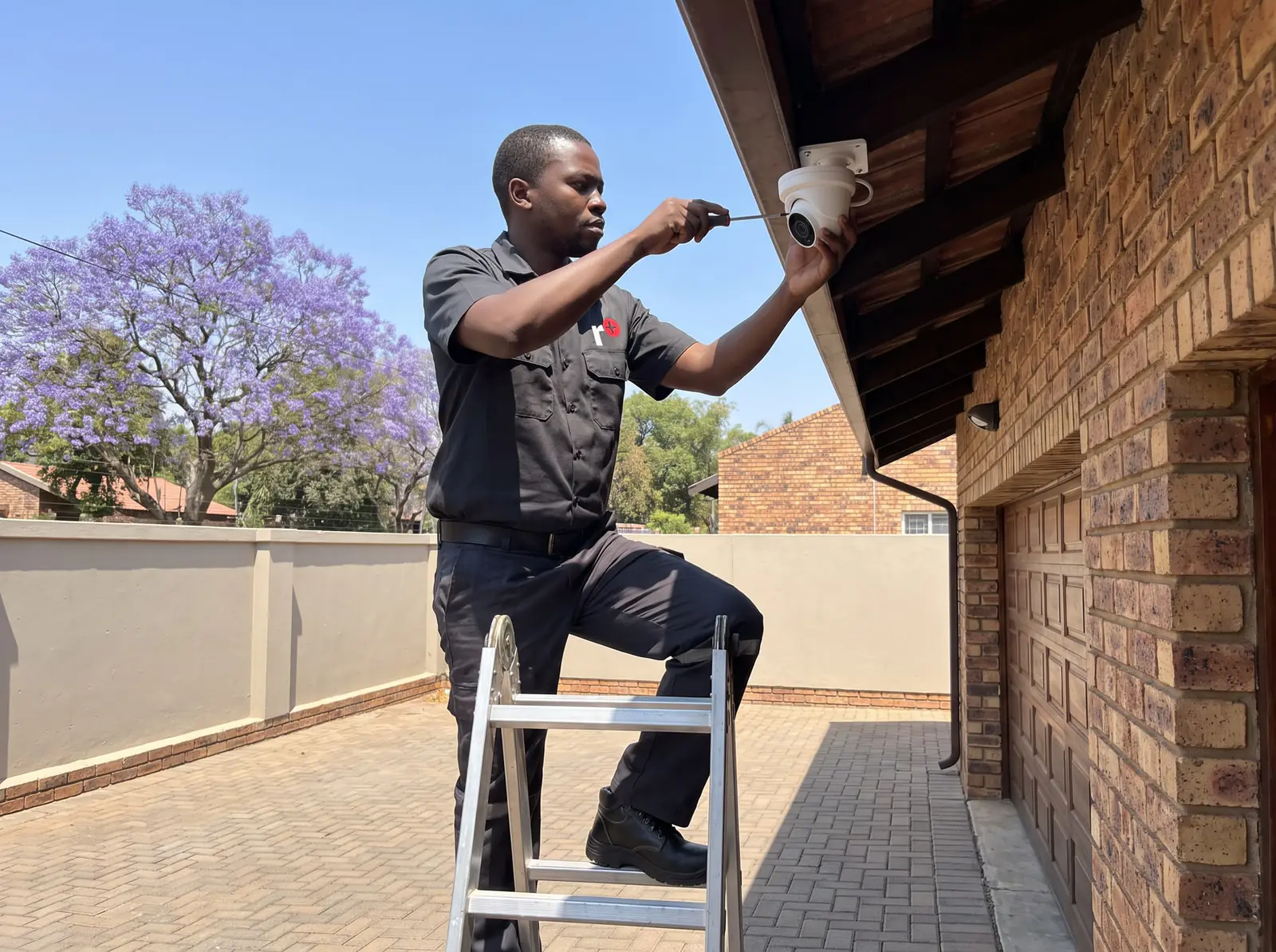
Planning coverage around how the business works
We start by walking the premises with you and listing what has to be seen, not by counting cameras:
- Entrances and exits: every door people use, at a height and distance that shows a face clearly as they come in.
- The till or reception: the counter, the cash drawer and the customer's side, so a disputed transaction can be checked.
- Stock and storage: shelves, stores and cages where losses happen, with a view of who opens them.
- Loading bays and vehicle gates: a camera close enough to read a number plate, and another showing the whole bay.
- The perimeter and the yard: wide views with line-crossing alerts for after hours.
- Parking: for disputes and damage claims.
Then we choose the camera for each spot: wide-angle for a floor, a longer lens for a gate, colour-at-night where there's some light, and vandal-resistant domes within reach.
How long to keep footage
Most losses aren't noticed on the day: a stock count a fortnight later, an invoice query at the end of the month. So the recording has to last long enough to go back to. How long depends on four things:
- The number of cameras recording at once.
- Their resolution and the frame rate they record at.
- Whether they record all the time or only on motion, which can stretch storage several times over for quiet areas.
- The size of the hard drives.
We size the recorder and drives for the period you need, and set the cameras that matter most, such as the tills and the gates, to record continuously at full quality, with quieter areas on motion. A 2 tb surveillance drive is about R2 900 (Takealot) in shops (Prices checked October 2026); larger systems use several.
Remote viewing for owners and managers
An owner who isn't on site wants to see the premises from a phone: live, and played back when there's a question. We set up the Hikvision, HiLook or Dahua app with separate log-ins for the owner, managers and, if you want one, your security company, so each sees only what they should. We change default passwords, update the recorder's firmware and avoid exposing the recorder directly to the internet, because a camera system that anyone can reach is a risk rather than a protection. If an existing system has stopped connecting, see view CCTV on your phone.
Power, load shedding and the network
A system that goes dark when the power does records nothing during the hours a break-in is most likely. We put the recorder, the cameras' power supply and the network switch on a UPS or battery sized to last through a power cut, and run IP cameras on power-over-network cabling so one backup protects them all. Cable is run in conduit, in ceiling voids or underground where it crosses a yard, so it can't be cut from outside.
After hours: alerts instead of hours of footage
Nobody watches a recorder all night. What makes a business system useful after closing is alerts:
- Line-crossing and intrusion zones drawn on a camera's view, so a person climbing the back wall or walking into the yard sends a notification to the owner's phone, while cars passing in the street don't.
- A schedule, so the alerts are on only when the premises are closed and staff moving around in the day don't set them off.
- A link to the alarm or the guard, where your security company can receive the alert and look at the camera before sending someone.
Alerts work best on cameras pointed at places where nobody should be at night: the yard, the loading bay, the back fence. Getting them right takes a few days of adjusting zones after installation, which we include.
Staff, customers and privacy
Images of people on camera are personal information, so a business should be open about recording: signs at the entrances, a note in staff contracts, cameras kept out of toilets and changing rooms, and footage kept secure and only for as long as it's needed. We position cameras to see the business, not the neighbours or the street beyond what's needed. For what your business must do under the law, speak to your own legal adviser.
What a business system typically costs
Supplied and installed, in the South African market:
- 4 cameras, entry HD: R6 000–R12 000 (CompareSecurity)
- 4 cameras, premium full-colour or AI with UPS: R14 000–R28 000 (CompareSecurity)
- 8 cameras, entry: R11 000–R20 000 (CompareSecurity)
- Labour and cable per camera point: R150–R450 (a simple single-storey home; CompareSecurity); R400–R800 (ServiceLink SA)
- Fault visit or annual service: R500–R1 500 (CompareSecurity)
In shops, 8-channel kits cost about R5 300–R6 200 (Takealot). These are the market's figures, not ours. Prices checked October 2026. A business system is usually bigger than these examples, so it's quoted on site. More on CCTV installation prices. Your exact price is set in a free quote before any work starts. No call-out fee when we do the work. If no work is done, a R650 call-out fee applies.
Keeping it working
Cameras get dirty, knocked out of line and covered by new shelving; drives fill up and eventually fail. A service visit cleans and re-aims the cameras, checks every channel is recording, tests the drives and the backup power, and updates the recorder. We also repair systems someone else installed, from a single dead camera to a recorder that has stopped recording; see CCTV not recording. 6 months warranty on equipment we install, and every repair carries our six-month guarantee on our repairs.
Getting a survey and a quote
We visit outside your busy hours if you prefer, walk the premises, and give you a written quote with a plan of where each camera goes and what it covers, the recording period and the backup power. Free quote: no call-out fee when we do the work. If no work is done, a R650 call-out fee applies. No call-out fee when we do the work. If no work is done, a R650 call-out fee applies.
Questions
Questions about CCTV for business
Where should cameras go in a shop?
On every entrance at face height, over the till showing both sides of the counter, over high-value shelves and the storeroom door, and outside on the parking and delivery area. See how we plan coverage.
How long should a business keep CCTV footage?
Long enough to look back after a loss is noticed: often a month or more for tills and gates. The recording time is set by the number of cameras, their quality, motion recording and the drive size. Read about retention.
Can different managers see different cameras?
Yes: we set up separate log-ins on the recorder and the phone app, so each person sees only the cameras they're meant to. Read about remote viewing.
Do I need to put up CCTV signs?
Being open about recording is good practice, and signs at the entrances are the usual way to do it. For what the law requires of your business, ask your own legal adviser. Read about privacy.
Book a technician
Get a CCTV quote
Job card
We WhatsApp or call you back. Fields marked (required) are needed.