CCTV · Repairs
CCTV repairs: cameras, recorders, cables and power
A camera that has gone dark, a recorder that stopped saving footage weeks ago and nobody noticed, an app that hasn't connected since the new router: we repair CCTV systems for homes, complexes and businesses across Johannesburg, the East Rand and Centurion, including systems someone else installed.
Six-month guarantee on our repairs
24/7 emergency repairs across Gauteng
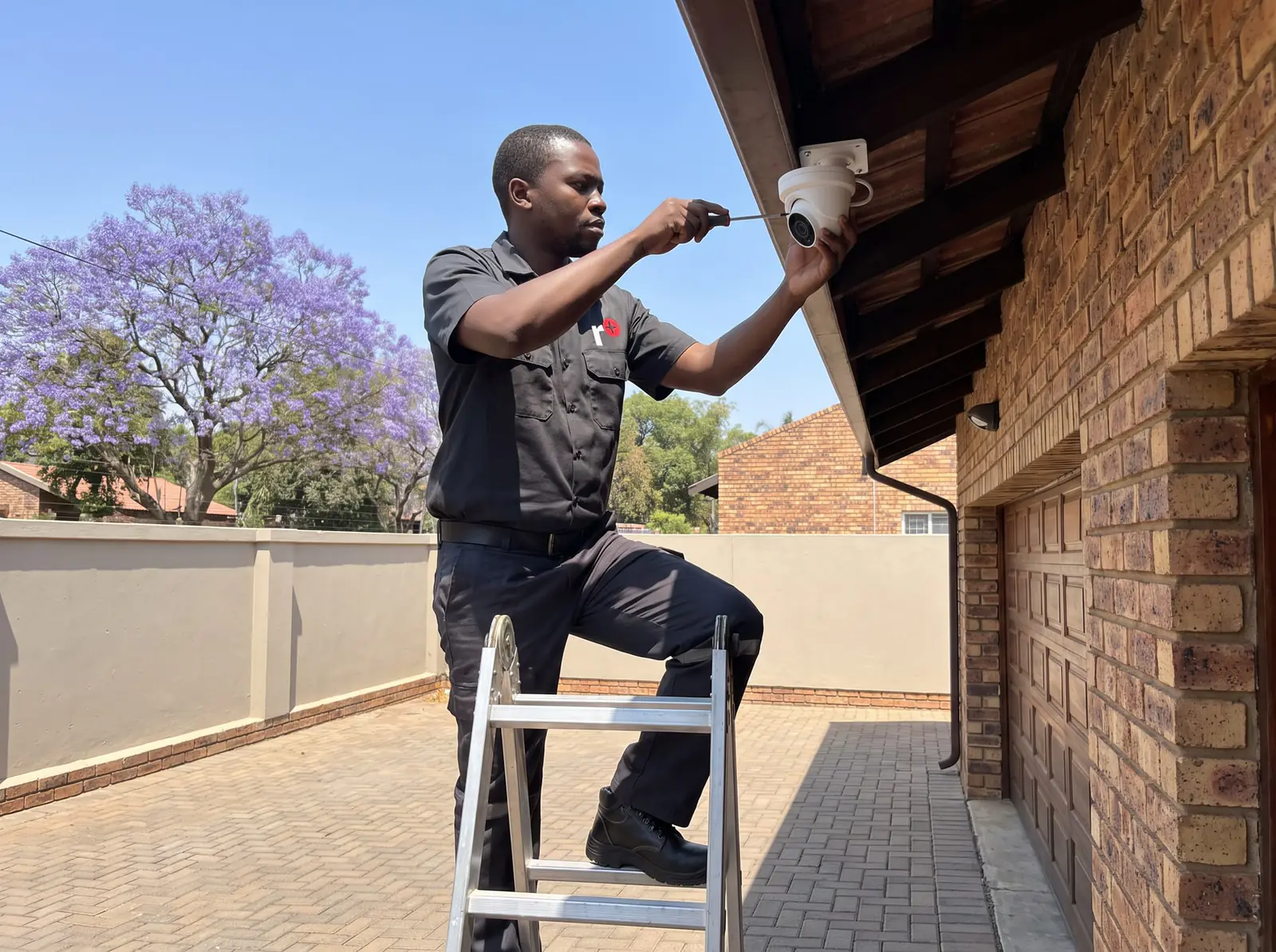
Most CCTV faults can be fixed
When a camera goes dark, the camera is often the last thing at fault. A CCTV system is a chain: the camera, the cable and its connectors, the power that feeds it, the recorder and its hard drive, and the internet link to your phone. A break anywhere in that chain looks the same on the screen, so a good repair starts by finding the broken link rather than replacing the most visible part.
What we repair, part by part:
- Cameras that have lost their picture, their night vision or their focus.
- Connectors and joints that have let water in or worked loose.
- Cable runs that have been cut, chewed or crushed.
- Power supplies and network switches that feed the cameras.
- Recorders, DVR or NVR, that won't start, won't record or have lost their settings.
- Hard drives that have failed or are about to.
- Phone viewing that has dropped since a router, password or app changed.
- UPS units whose batteries no longer carry the system through a power cut.
How a repair visit works
- The recorder first. We look at which cameras are missing, what the recorder says about its disk, and when each camera dropped out. That history often tells us whether it was a storm, a power cut or a slow fault.
- Swap tests. A suspect camera goes onto a cable and input we know are good, and a known-good camera onto the suspect cable. Two quick swaps separate a camera fault from a cable or power fault.
- Power at the camera end. A supply can read fine at the recorder and still arrive too weak at a camera at the end of a long run.
- Recording, proved. We play back footage from the day before, because a live picture alone doesn't show that the recorder is saving anything.
- Phone viewing checked away from your Wi-Fi, so it works when you're out.
Before any part is replaced, you get the price. Your exact price is set in a free quote before any work starts. No call-out fee when we do the work. If no work is done, a R650 call-out fee applies.
Cameras: repair or replace
Cameras live outside in sun, rain and dust, and they fail in a few predictable ways: water working into the housing and fogging the lens from inside, infrared lights that burn out so the picture dies at night, a cracked or scratched dome, or electronics damaged by a surge.
Moisture, a dirty dome or a camera knocked out of line can usually be put right on the spot. A camera whose electronics have failed is a different matter: a basic camera often costs less than the time it would take to repair its circuit board, so it's usually replaced. The replacement has to use the same kind of video signal as the recorder, so we match it to the make and model of your DVR or NVR rather than fitting whatever is to hand.
Power supplies, switches and surges
On a DVR system, the cameras usually run from one power supply box, so when it fails, several cameras go dark together. On an NVR system, the cameras draw power down the network cable, from the recorder's own ports or from a network switch, and a failed port or switch takes its cameras with it.
Power is where most surge damage shows up. The moment the power returns after load shedding, or a lightning strike nearby, can take out a supply, a switch, a recorder or a camera, sometimes all at once. After a repair like that, a UPS on the recorder, the camera power and the router is worth considering: it keeps the system recording through outages and takes the edge off the surge when the power comes back.
Cables and connectors
Coaxial cable on a DVR system, or network cable on an NVR system, runs from every camera back to the recorder, and it's exposed to more than people expect: garden services with brush cutters, rats in the roof, builders, and water at every outdoor joint.
A joint that keeps failing is usually a joint that was never protected properly. We remake failed connectors in weatherproof boxes, and where a run has been joined and rejoined over the years, we replace the whole length rather than add another join. Cable that runs along the outside of a wall or across a roof is better protected in conduit or trunking, which also makes the next repair quicker.
Recorders and hard drives
The recorder is the heart of the system, and its hard drive is the part that works hardest: it writes footage all day and all night. A drive that is full is normal, because the recorder records over its oldest footage. A drive that is failing is not, and recorders warn about it, on screen or with a beep, often long before anyone notices that nothing has been saved.
We replace failed drives with surveillance-grade drives made for constant recording, and size them to the number of days of footage you want to keep. A recorder that won't start, restarts by itself or has lost its settings after a surge is tested before anything is replaced, because a failed power adaptor can look exactly like a dead recorder.
If nobody knows the recorder's password, it has to be reset through the maker's own recovery process, which we do on site with the recorder in front of us.

Pictures that fail at night
Most cameras light the scene with infrared at night and switch to black and white. When the night picture is black, washed out or blurred while the daytime picture is fine, the usual causes are:
- Failed infrared lights, common on older cameras.
- A spider web or dust on the dome, which reflects the infrared back into the lens.
- A wall, eave or gutter close to the camera, reflecting the light and blinding it.
- A camera behind a window, which sees its own reflection.
Cleaning and re-angling fix most of these; failed infrared lights mean a new camera. Where there's no light at all, a full-colour night camera with its own lamp is an option.
When the app stops connecting
If every camera shows on the recorder's own screen but not on your phone, the cameras are fine: the link between the recorder and the internet has broken. A new router, a changed Wi-Fi password, a recorder unplugged from the router during a move, or an app update are the usual reasons. We reconnect the recorder, re-link the app (Hik-Connect for Hikvision and HiLook, Dahua's own app for Dahua), and set up access for everyone who needs it, each with only the rights they need.
Repairs and maintenance
Most CCTV failures give a warning first: a drive that starts to report errors, a camera whose night picture gets worse each month, a UPS battery that lasts a little less every power cut. A maintenance visit catches them before the day the footage is needed. On a service, we:
- clean every dome and lens, and check each camera still covers what it should
- play back recordings from every camera to prove they're saving
- check the hard drive's health and how many days of footage it holds
- test the UPS on battery
- update the recorder's software where the maker has released an update
- check that passwords are changed from the defaults and that only current users have access
For body corporates, estates and businesses, it's worth booking once or twice a year, alongside the gate motor and electric fence.
What CCTV repairs typically cost
Typical market figures, not ours, from a published South African cost guide and a South African shop:
- Fault visit or annual service: R500–R1 500 (CompareSecurity)
- Hikvision 2 MP camera: about R230 (Takealot)
- ColorVu camera: about R510 (Takealot)
- 4 MP IP camera with audio: about R1 400 (Takealot)
- 8-channel DVR: about R860 (Takealot)
- 1 TB surveillance drive: about R920–R1 900 (Takealot)
- 2 TB surveillance drive: about R2 900 (Takealot)
Shop prices are for the part alone, before fitting and setting up. Where a system is old enough that repairing it means replacing most of it, compare the repair with a new installation. Prices checked October 2026. Your exact price is set in a free quote before any work starts. No call-out fee when we do the work. If no work is done, a R650 call-out fee applies.
Booking a CCTV repair
On the job card, tell us the recorder's make, which cameras are affected, and whether it started after rain, a storm or a power cut; a photo of the recorder's screen and its label helps us bring the right parts. We repair Hikvision, HiLook and Dahua systems whoever installed them. For another make, send the photo first and we'll tell you before the visit whether we can help. Same-day repairs are offered when the day allows. All our spare parts are genuine, and every repair comes with our six-month guarantee on our repairs.
Areas
CCTV repairs in your area
- CCTV · Alberton
- CCTV · Bedfordview
- CCTV · Benoni
- CCTV · Bryanston
- CCTV · Centurion
- CCTV · Douglasdale
- CCTV · East Rand
- CCTV · Edenvale
- CCTV · Fourways
- CCTV · Hyde Park
- CCTV · Inanda
- CCTV · Johannesburg
- CCTV · Kyalami
- CCTV · Melrose Arch
- CCTV · Midrand
- CCTV · Morningside
- CCTV · Randburg
- CCTV · Roodepoort
- CCTV · Rosebank
- CCTV · Sandton
- CCTV · Saxonworld
Questions
CCTV repair questions
Can a CCTV camera be repaired?
Often, yes: water in a housing, a dirty dome, a loose connector or a camera knocked out of line are fixed on the spot. A camera whose electronics have failed is usually replaced, because a basic camera often costs less than repairing its board. Read more.
How do I fix a CCTV camera that's not working?
Check the recorder's own screen first: if the camera shows there but not on your phone, it's the internet link. If it's missing from the recorder too, restart the recorder at its plug; if the camera stays dark, its power, cable or the camera itself needs testing, which is a job for us. See how a repair works.
Why does my CCTV camera say offline?
The recorder or the app has lost contact with it. On the recorder, that points to the camera's power, cable or connector; in the app alone, to the internet connection or router. After a power cut, a damaged power supply is common. Read about power and surges.
How much does it cost to fix CCTV?
A fault visit or annual service typically costs R500–R1 500 in South Africa, plus any parts; a basic replacement camera sells for about R230 in shops. Prices checked October 2026. See typical costs.
How often should CCTV be serviced?
Once or twice a year suits most homes and complexes: clean the domes, prove every camera is recording, check the hard drive and test the UPS. In between, play back a recording now and then. Read about maintenance.
Book a technician
Get a CCTV quote
Job card
We WhatsApp or call you back. Fields marked (required) are needed.