Intercoms · Video
Gate intercom with camera: video intercoms supplied, installed and repaired
A video intercom puts a camera at your gate and a screen inside, so you see who's there before you let them in. For a home behind a solid gate or a long driveway, that's the difference between opening for a voice and opening for a face. Here's how a video intercom works with your gate motor, what to look for when choosing one, what kits and installations typically cost, and the faults we repair.
Six-month guarantee on our repairs
10 years of experience in gate motor installation and repairs
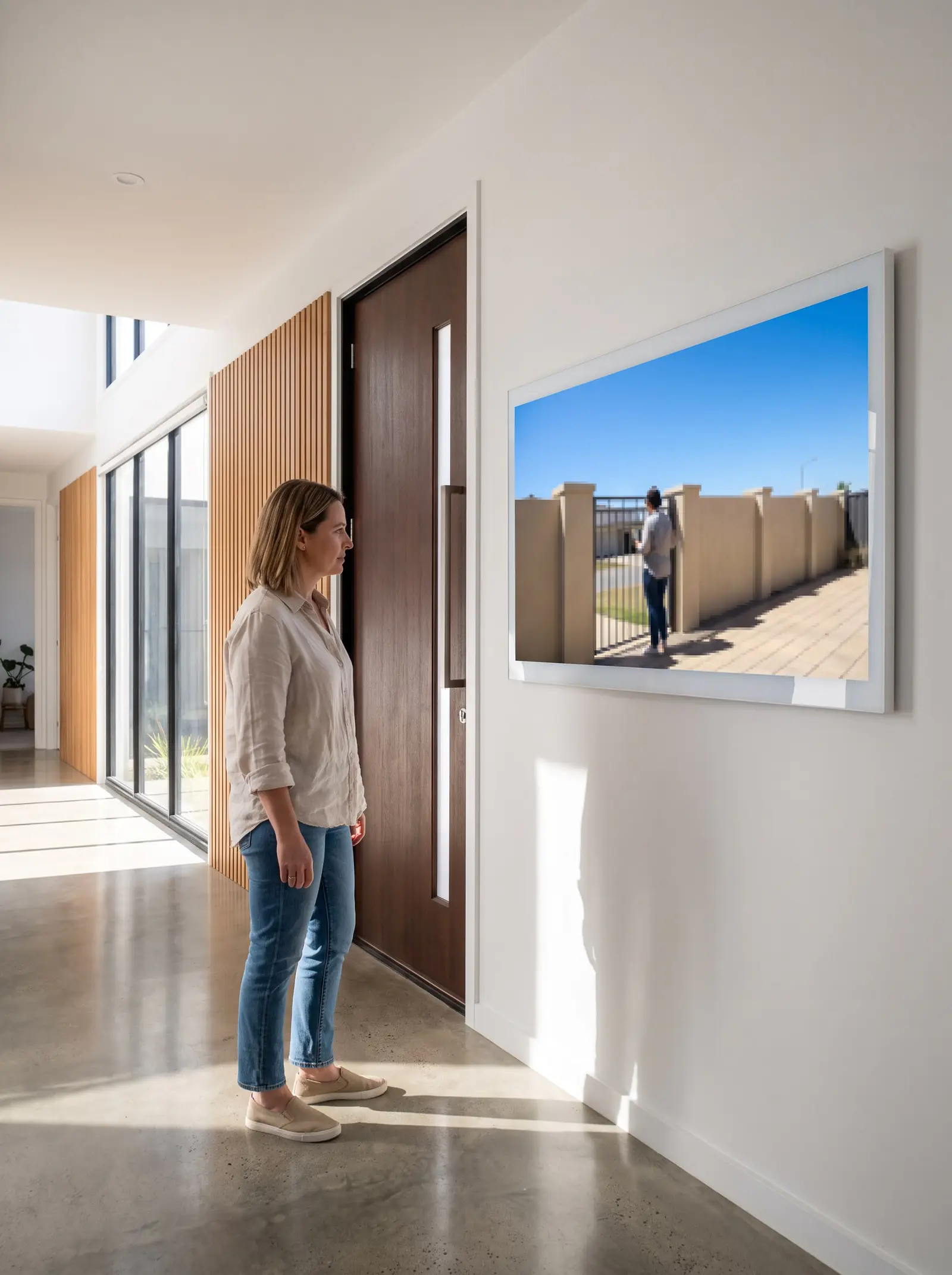
How a video intercom works with your gate
A video intercom has three parts:
- The gate station, on the pillar or a pedestal beside the gate: a call button, a speaker and microphone, and a small camera looking out at the visitor.
- The indoor monitor: a screen with a speaker and microphone, and a button to open the gate. Many systems take more than one monitor, for a second floor, a cottage or a home office.
- The link between them, usually a cable buried along the driveway, and a power supply for the system indoors.
When a visitor presses the call button, the monitor rings and shows the camera's picture. You talk to them through the monitor, and if you want to let them in, the gate button sends a signal down to the gate motor's trigger input, exactly as pressing a remote does. Centurion's own user guide for its D5-Evo and D10 treats the intercom's gate release button as one of the ways the gate is operated, alongside the remote.
That last connection matters: the intercom itself can work perfectly while the wire to the motor, or the motor's input, doesn't.
Choosing a video intercom
- The cable that's already there. If an audio intercom is being replaced, the cable from the gate is the first thing we look at. Video kits such as Dahua's are sold as four-wire systems, so an existing cable with enough cores in good condition can often be reused, which keeps the installation far simpler than trenching a new one.
- Screen size. Shop kits include seven-inch monitors, and a bigger screen makes a visitor's face easier to recognise.
- How many places you answer from. Count the monitors you need before choosing a kit, so the system supports them.
- Where the gate station goes. It needs to be at driver's-window height, facing the visitor, and out of direct rain where possible. A pedestal solves a pillar in the wrong place.
- Who answers when you're away. A wired video intercom only rings indoors. If you want calls on your phone, a GSM intercom does that instead: Centurion's G-SPEAK ULTRA turns your mobile into the intercom handset, as a voice call. Some homes have both.
- A complex or office. Multi-unit systems, with a button or code for each unit, are designed and quoted after a site visit.
What video intercoms typically cost
| What | Typical price |
|---|---|
| Video intercom, supplied and installed | R5 000–R15 000+ (Kandua) |
| Dahua 4-wire video kit, in a shop | about R2 190 (Takealot) |
| Nice 7-inch colour video kit, in a shop | about R3 000 (Takealot) |
| Commax CDV-43K video kit, in a shop | about R3 700 (Takealot) |
| HiLook hybrid video kit, in a shop | about R4 300 (Takealot) |
| Commax 7-inch CDV-70N kit, in a shop | about R4 700 (Takealot) |
These are the market's prices, not ours. Prices checked October 2026. The gap between a kit and an installed system is the work at your gate: the cable, mounting the gate station and monitors, and wiring the gate release into the motor. The full breakdown, with audio and GSM systems, is on intercom installation cost.
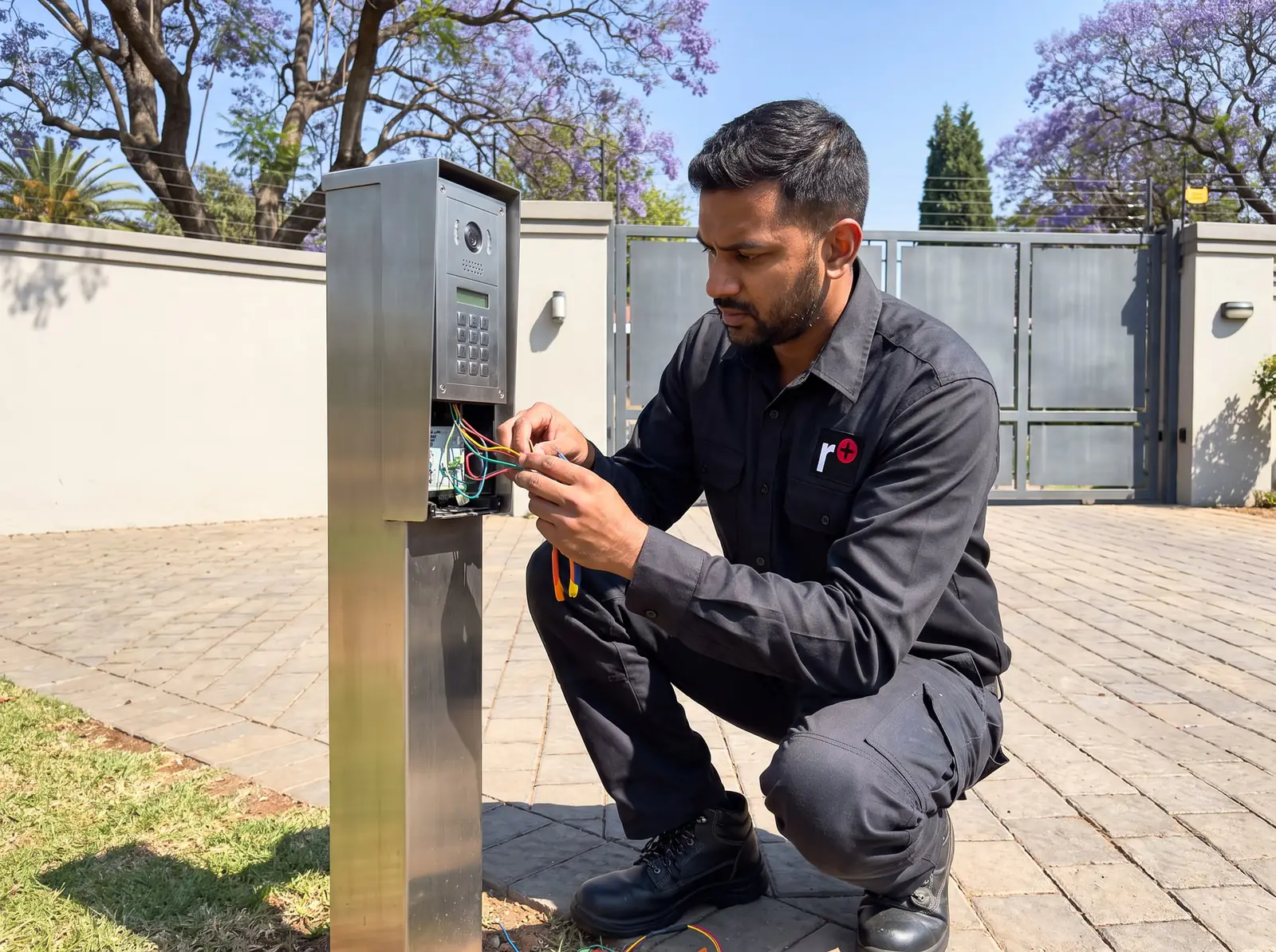
What an installation involves
- Survey the gate and the house: the distance, the existing cable, where the gate station will sit and where you'll answer.
- Run or reuse the cable, in conduit along the driveway where a new one is needed.
- Mount the gate station at driver's-window height, sealed against the weather, on the pillar or a pedestal.
- Fit the monitors and the power supply indoors, near a plug point.
- Wire the gate release into the gate motor's trigger input, and the pedestrian gate or a door lock where there is one.
- Test everything: the call, the picture by day, sound both ways, and the gate opening from every monitor.
If you're also having a gate motor installed, it makes sense to fit the intercom at the same time, while the cable to the pillar is being run: see gate motor installation.
Upgrading from audio to video
If you already have an audio intercom, moving to video is often less work than a new installation, because most of the hard part, the link from the gate to the house, may already be in the ground. We check three things first:
- The cable: how many cores it has, whether they all still test sound, and whether any joints along the driveway have let water in.
- The gate-release connection: whether the wire to the gate motor can stay as it is, or the new system needs it connected differently.
- The pillar: whether the new gate station fits where the old one was, or needs a plate or a pedestal.
If the cable has failed, a wireless audio intercom or a GSM intercom can avoid digging up the driveway, at the cost of the picture.
Power cuts and video intercoms
The gate motor runs from its own battery, but an intercom's indoor monitor runs from a plug-in power supply, so in a power cut the screen goes dark and visitors can't call you, even though the gate still opens from a remote. If the intercom matters during load shedding, the monitor's plug point can be put on the house's inverter or UPS, if you have one. Moving a plug point onto a backed-up circuit is a job for a registered electrician, and more on keeping the gate itself going is on gate motor solar and backup power.
Video intercom faults we repair
- It rings, but the gate won't open. The talking side works, so look at the gate-release wiring or the gate motor. If the gate opens from a remote, it's the release connection.
- No picture, but sound works, or a picture that rolls or breaks up: the cable or a connection in it, especially after rain or a rodent, or the camera in the gate station.
- A dead monitor: check its plug point and power supply first.
- Sound but no ring, howling, or crackling: the same causes as on an audio intercom, set out in intercom handset no sound.
- A gate station that has been forced or broken: stations at the street take knocks and tampering. A sturdier station, or one moved onto a pedestal, can be the better repair.
Water is the enemy of anything at the gate. A gate station that keeps failing after storms needs its seals and cable entry looked at, not just a new part. The general checks are on intercom not working.
Brands we work on
We supply, install and repair video intercoms from the intercom brands we work with, including Commax and Kocom, and BPT and Centurion systems. For other makers, such as Aiphone, we don't hold the manuals, so we'd look at the system before saying whether it can be repaired or a part matched. When an old system is past repair, we'll tell you, and quote a replacement that can reuse as much of the existing cabling as possible.
Getting a video intercom fitted or repaired
Tell us what's at the gate now, how far it is to where you'd answer, and what the system is doing if it's a repair. Photos of the gate station and monitor help. All our spare parts are genuine, and every repair carries our six-month guarantee on our repairs. Your exact price is set in a free quote before any work starts. No call-out fee when we do the work. If no work is done, a R650 call-out fee applies.
More on all our intercom work is on intercoms.
Book a technician
Get an intercom quote
Job card
We WhatsApp or call you back. Fields marked (required) are needed.