Manual · Centurion SMARTGUARD
Centurion keypad reset code, master code and SMARTGUARD manual
Centurion's SMARTGUARD keypad opens a gate with a code instead of a remote, and its wireless twin, the SMARTGUARDair, does the same on two AA batteries. Here's how the master code works, how codes are added and deleted, what to do when the master code is lost, and the security settings worth knowing about.
Six-month guarantee on our repairs
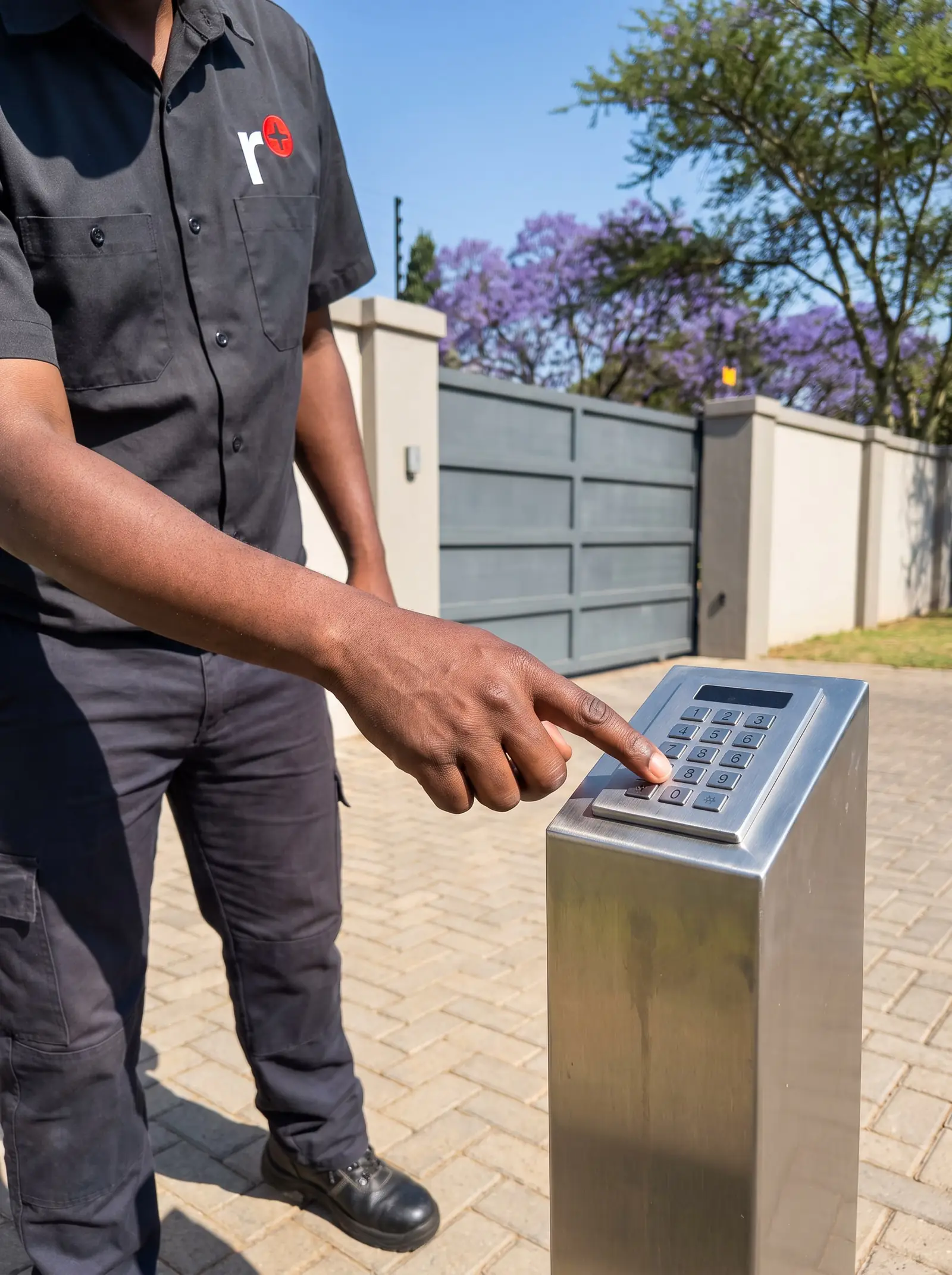
How the SMARTGUARD works
Each person gets an access code of one to ten digits, and the keypad stores up to 1,000 of them, each at its own numbered address. A code can work one or more of three outputs: the first is a relay that usually triggers the gate, the second and third can work other equipment, and the third can double as an alarm output.
Codes can also be token codes, which stop working after a set number of uses, from 1 to 254: handy for a contractor who needs in for a week.
| Item | SMARTGUARD |
|---|---|
| Supply | 12 to 24 V AC or DC |
| Codes | Up to 1,000, one to ten digits each |
| Outputs | One relay, 3 A at 50 V, and two open-collector outputs |
| Output time | 1 to 255 seconds, or latched |
| Weather rating | IP55, backlit keys |
| Operating temperature | −15 °C to +55 °C |
The master code
Everything on a SMARTGUARD is programmed from the master code, which always lives at address 0. On a new keypad it is 1 2 3 4, so changing it is the first job on any installation: anyone who knows the default can otherwise add their own code.
To change it, Centurion's guide uses the KwikLearn menu: enter program mode with the current master code, choose KwikLearn (menu 0), choose address 0, and key in the new master code. The master code also works as a normal access code.
Adding and deleting codes
The SMARTGUARD's programming menus are numbered, and every procedure starts by entering program mode with the master code:
| Menu | What it does |
|---|---|
| 0, KwikLearn | Adds a code at an address, working output 1 only |
| 1, Add | Adds a code at an address, chooses its outputs and, if wanted, a limit on uses |
| 2, Delete | Deletes the code at an address; address 0 deletes every code |
| 3, Output | Sets how long each output stays on |
| 4, Lockout | Sets the anti-hack: wrong codes allowed, and how long the keypad shuts down |
| 5, Wipeout | Sets how long a half-typed code stays in memory |
| 6, Security | Duress, panic, wrong-code alarm, anti-default and tone mute |
Two things are worth knowing before deleting. Deleting address 0 removes every code and puts the master code back to 1 2 3 4. And keep a list of which address belongs to whom: a code can only be deleted by its address, not by the code itself.
The exact keystrokes, including the symbol keys that enter and confirm each step, are printed in Centurion SMARTGUARD wired keypad, installer manual.
Resetting a lost master code
Centurion's guide has two power-up resets:
- Master code only: switch the keypad's power off, then switch it back on while holding the 1 key for two seconds. A beep confirms the master code is back to 1 2 3 4.
- System settings: switch the power off, then back on while holding 2 and 3 together for two seconds. A beep confirms the timers and security settings are back to factory defaults.
There's a catch. The anti-default setting, which is on when the keypad leaves the factory, blocks both resets. With it on and the master code lost, Centurion's only route is to restore the keypad from a backup made earlier on its backup module. Without a backup there's no way back in through the keypad itself, so it's worth making one when the keypad is set up.
The keypad takes its power from the gate motor or a separate supply, so removing and restoring it is a job we do on site.
Security settings worth using
- Anti-hack: after a set number of wrong codes, three by default, the keypad stops working for a set time, 60 seconds by default. Set the time to zero and it only resets when its power is removed.
- Key wipeout: a half-entered code is cleared after five seconds by default, so the next person starts fresh.
- Duress code: when turned on, adding 1 to the last digit of a code still opens the gate but also sets off the alarm output. Centurion warns that it only works safely if no codes are consecutive numbers.
- Tone mute: stops the keypad beeping as each digit is typed, so nobody can count the digits.
- Tamper switch: an optional switch that signals if the keypad is forced open or pulled off its mounting.
The wireless SMARTGUARDair
The SMARTGUARDair works the same way, with the same 1,000 codes and default master code, but has no cable to the gate. It runs on two AA alkaline batteries and sends its signal to a Centurion rolling-code receiver, either the motor's own or a separate one, once the two have been paired. It shows a low-battery warning when the batteries need changing.
Centurion ships it with the batteries disconnected to save them, and a link on the board selects battery power. Its full manual is Centurion SMARTGUARDair wireless keypad, installer manual.
When to call us
Call us for a lost master code, a keypad that has locked itself out and won't come back, a wired keypad that's dead, or a wireless one that no longer reaches the receiver. We install, program and repair SMARTGUARD keypads and the receivers they talk to. All our spare parts are genuine, and every repair carries our six-month guarantee on our repairs. Your exact price is set in a free quote before any work starts. No call-out fee when we do the work. If no work is done, a R650 call-out fee applies.
Remotes for the same gate are on Centurion remote programming, and every other Centurion model on Centurion manuals.
Questions
Centurion keypad questions
How to reset keypad code?
A single user's code isn't reset, it's deleted by its address and added again; the master code can be reset to 1 2 3 4 by switching the power on while holding the 1 key, unless the anti-default setting is on, which it is from the factory. Read about resetting.
How to change master code on Centurion keypad?
Enter program mode with the current master code, choose the KwikLearn menu (0), choose address 0 and key in the new code; the master code always lives at address 0. The full keystrokes are in Centurion's pocket guide. Read about the master code.
How to factory reset Centurion keypad?
Switch the power off and back on while holding 2 and 3 together for two seconds to default the settings, or 1 to default the master code. Both are blocked while anti-default is on; then a backup is the only way back. See the resets.
How do I program a Centurion Smart Guard keypad?
Everything starts with program mode and the master code, then a numbered menu: 0 or 1 to add a code at an address, 2 to delete, and 3 to 6 for timers and security. Change the default master code 1 2 3 4 first. See the menus.
Where can I find the manual for the Centurion wireless keypad?
Centurion publishes the SMARTGUARDair manual on centsys.co.za, and our page links to it directly. It covers pairing with a receiver, battery power and the same programming menus as the wired SMARTGUARD. Go to the SMARTGUARDair section.
Book a technician
Get a gate motor quote
Job card
We WhatsApp or call you back. Fields marked (required) are needed.