Guides · Gate motors
Gate keypad not working: why codes stop opening the gate
A keypad at the gate lets domestic workers, gardeners, family and deliveries in without a remote. When it stops opening the gate, the cause is usually small: flat batteries in a wireless keypad, a lock-out after someone tried too many wrong codes, a code that has run out, or water in the keys. Here's how to work out which, using Centurion's SMARTGUARD keypads as the example.
Six-month guarantee on our repairs
24/7 emergency repairs across Gauteng
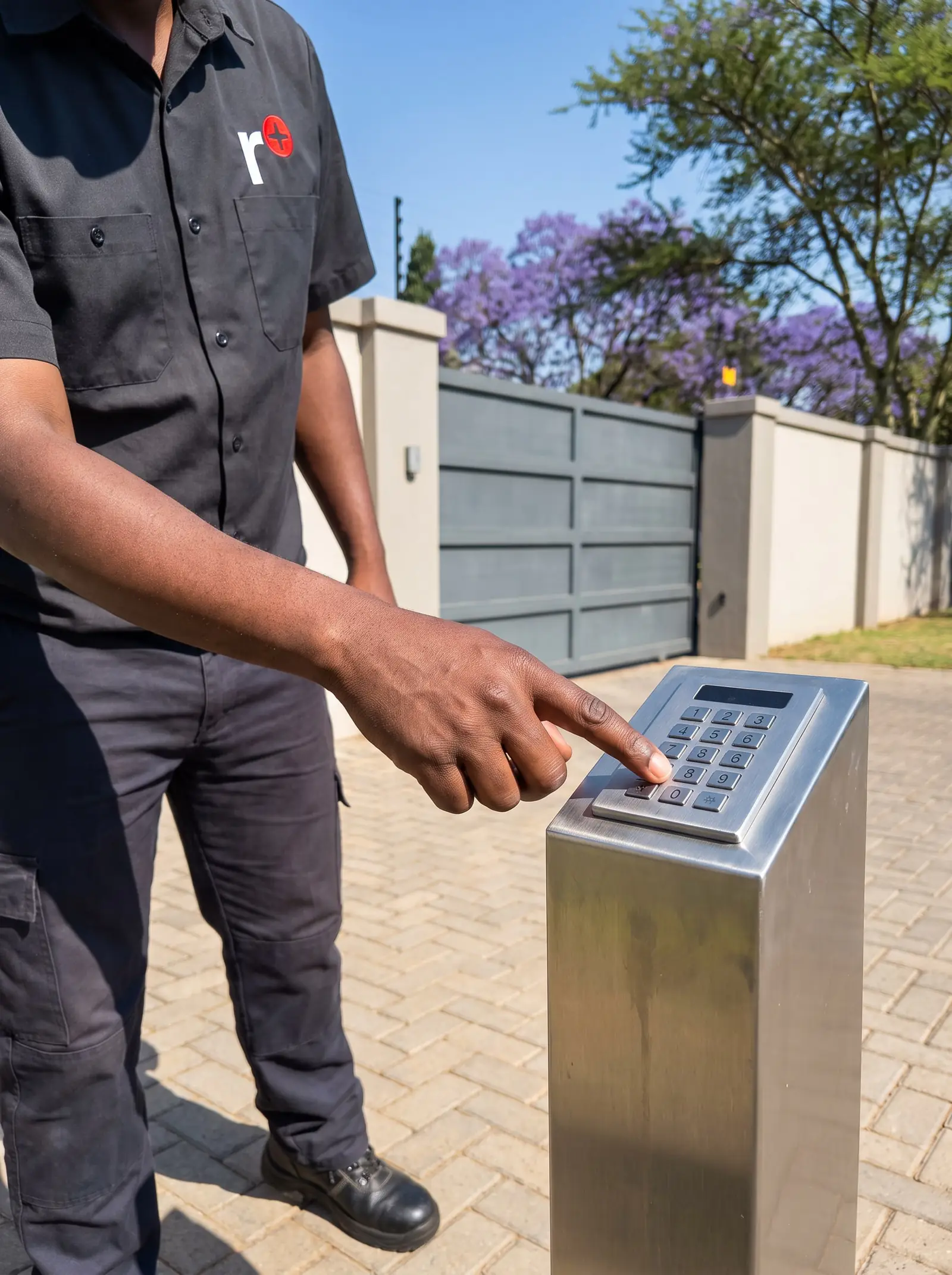
Wired or wireless: it changes what can fail
- A wired keypad is connected by cable to the gate motor or a separate controller. Centurion's SMARTGUARD is an example: weatherproof, with backlit keys, storing up to 1,000 codes of one to ten digits in memory that survives a power cut. Its power comes down the cable, so a cut cable, a corroded connection or a surge can take it out.
- A wireless keypad sends a radio signal to the motor's receiver, like a remote on a post. Centurion's SMARTGUARDair runs on two AA alkaline batteries, reaches about 30 m in a clear line of sight, and is built to IP55 against weather. Its weak points are its batteries and its range.
Knowing which you have narrows things down straight away: a wireless keypad with a dead display is almost always batteries; a wired one with a dead display is power or wiring.
Why a gate keypad stops working
- Flat batteries in a wireless keypad. Centurion gives the SMARTGUARDair two to five years on a set of batteries, depending on how often it's used, and it shows a battery-low warning before they die.
- An anti-hack lock-out. Keypads like the SMARTGUARD can shut themselves down after a set number of wrong codes, to stop someone guessing, and reset after a set time. A tell-tale light shows it has happened. Children playing with the keys, or someone who forgot their code, can trigger it.
- A code that has expired. Token codes are valid for a set number of uses, between 1 and 254 on a SMARTGUARD, then stop working by design. Useful for a contractor, confusing if nobody remembers it was set that way.
- A code that was deleted or never saved, or a code entered without the confirming # on keypads that need it.
- Weather and wear: water behind the keys, sun-damaged buttons, or ants nesting inside.
- Range or interference on a wireless keypad: a new metal gate, a wall, or a keypad moved further from the receiver.
- Power or wiring on a wired keypad: a cable cut by digging, a corroded joint, or surge damage after a storm.
- The gate motor itself. If remotes don't open the gate either, the keypad isn't the problem.
Safe checks you can do
- Try a remote. If the remote doesn't work either, look at the gate motor instead: see gate motor not working.
- Watch the keypad's lights as you press a key. Nothing at all on a wireless keypad points to the batteries; a light showing the anti-hack lock-out means waiting for it to reset.
- Enter the code slowly and confirm it with # if your keypad needs it. A brief green light on a SMARTGUARDair means the code was accepted.
- Try a second code, if more than one person has one. If one code works and another doesn't, the keypad is fine and that code has been deleted or has run out.
- Look at the keypad itself: condensation behind the cover, cracked keys, ants, or a loose mounting.
Don't open a wired keypad's housing or the motor to check connections: some keypads share the motor's supply, and the wiring is a technician's job.
Managing codes so this doesn't happen
Most keypad problems are really code problems. A few habits help:
- Keep a record of which code is stored at which address in the keypad's memory, so a code can be deleted when someone leaves without clearing the others.
- Use token codes for contractors and one-off visitors, and expect them to stop.
- Avoid easy codes. Centurion's own guide warns against consecutive numbers as codes.
- Change the master code the installer used, if it hasn't been changed already. A keypad still on its factory master code can be reprogrammed by anyone who knows it.
- Back up the memory where the keypad supports it: Centurion offers an optional backup memory module for the SMARTGUARDair.
Weather, sun and tampering
A keypad at the gate lives outdoors, at hand height, in full sun. Over the years, buttons crack and fade, seals harden and let water in, and a keypad within reach of the street is a target. A hood or a position under a pillar cap keeps rain and direct sun off it. Some keypads take an optional tamper switch that raises an alarm if the unit is forced off its mounting, which is worth wiring to an alarm on a busy road.
When to call us
Call us when a wireless keypad is still dead with fresh alkaline batteries, a wired keypad shows nothing, codes that should work are refused, or the keypad has been damaged. We repair and replace keypads, reprogram codes, relink wireless keypads to the receiver and fix the wiring. All our spare parts are genuine, and every repair carries our six-month guarantee on our repairs. No call-out fee when we do the work. If no work is done, a R650 call-out fee applies. The Centurion keypad's own programming is on the SMARTGUARD manual.
Questions
Questions about gate keypads
Why has my gate keypad stopped working?
Most often flat batteries in a wireless keypad, a lock-out after too many wrong codes, or a code that was deleted or has run out. Try a remote first to rule out the gate motor. See the causes.
Why does my gate keypad lock me out?
Many keypads have an anti-hack feature that shuts them down for a while after a set number of wrong codes, to stop guessing; a light shows it's active, and it resets by itself after the set time. See the causes.
How long do wireless gate keypad batteries last?
Centurion gives its SMARTGUARDair two to five years on two AA alkaline batteries, depending on how often it's used, and it warns when they're low. Read about wired and wireless keypads.
Book a technician
Get a gate motor quote
Job card
We WhatsApp or call you back. Fields marked (required) are needed.