Manual · ET Drive 300
ET Drive 300 error codes: what each message means and what to check
The ET Drive 300 tells you what's wrong in three letters on its control card display. Most of the messages point to the gate, the power or a safety beam rather than a broken motor, and several can be cleared without opening anything. Here is every message in ET's troubleshooting table, what it means and the checks ET gives for it, with the ones that need a technician marked clearly.
Six-month guarantee on our repairs
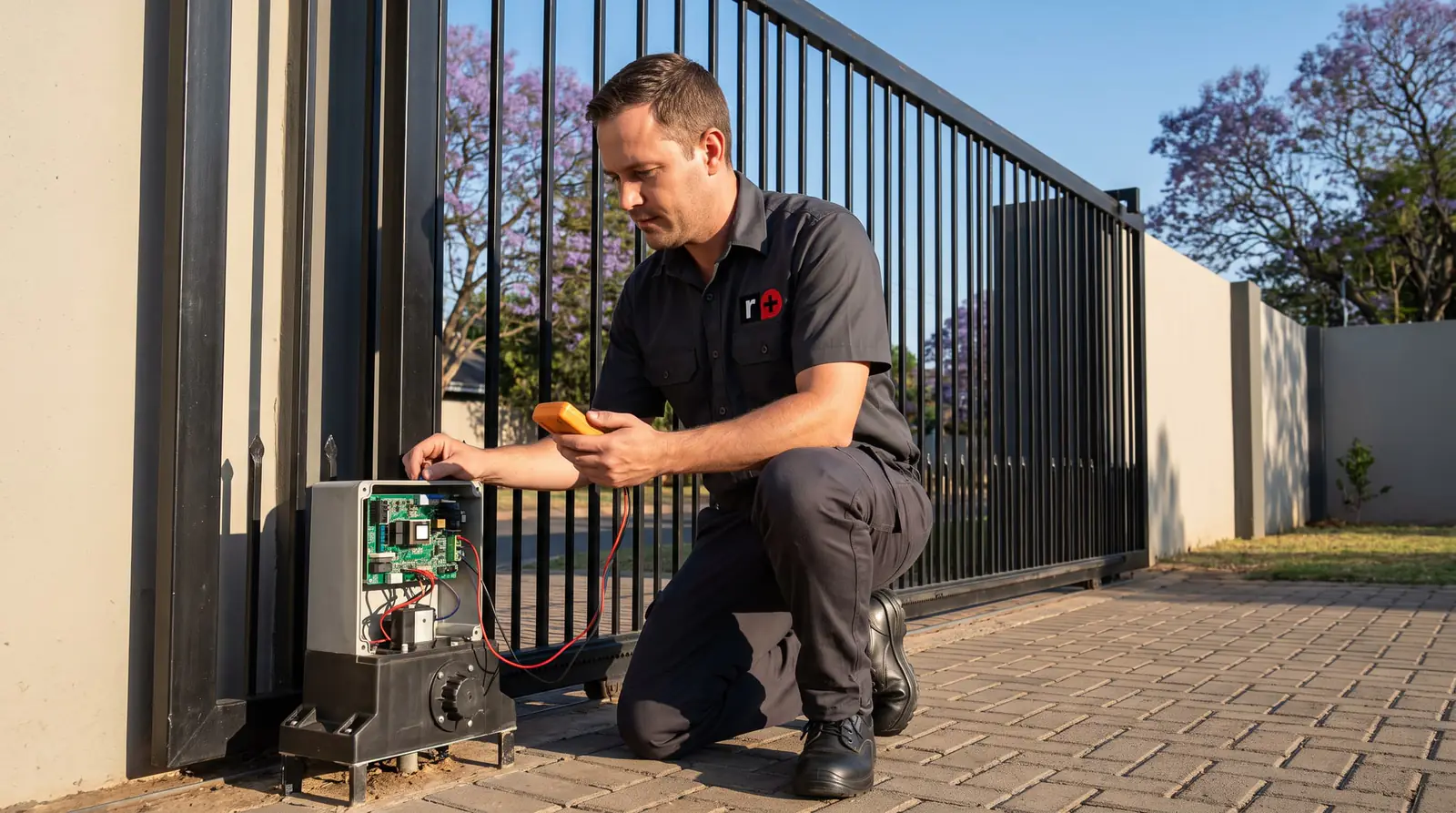
Where to read the code
The Drive 300 shows its messages on the three-character display on the control card, under the motor's cover. Two other signals back it up:
- The buzzer. With mains off or a low battery, it gives a 1-second beep every 15 seconds for 5 minutes after the gate last ran. With a collision lock-out, it sounds continuously while a trigger button is held.
- The status light, if one was wired. Two half-second flashes and a 2-second pause mean mains off; four mean a low battery; five rapid flashes at each trigger mean a lock-out mode is on.
rdy means the card is standing by and ready; opn means the gate is open and waiting to be closed. Neither is a fault.
Power messages: ac and Bat
ac: the charger has shut down because the mains supply was interrupted. ET's checks, in order:
- The supply to the motor: 220 V AC, or 29 V AC if it runs from the plug-in transformer.
- The 500 mA fast-blow fuse in the 220 V connector.
- The 10 A fuse in the battery lead.
The supply and the 220 V connector are a job for a registered electrician. A tripped breaker or a plug-in transformer knocked out of its socket is something you can check yourself.
Bat: the battery is disconnected or flat. ET says to give it 8 to 10 hours of uninterrupted charge before using the gate again, and to replace the battery if it hasn't recovered by then. After a long power cut, an old battery often won't come back, which is when Bat stays on even with the mains restored.
Gate messages: rel, irb, col and for
rel: the manual release is open. Lower the release lever so the gearbox engages. If rel stays with the lever down, ET points to the reed switch that watches the lever, and to its small magnet, which can be knocked loose.
irb: the safety beam circuit is triggered. Clear anything between the beams, then check they have power and are lined up. ET also lists the end-of-line resistor in the beam circuit, which an installer fits.
col: multiple collision lock-out. The gate has hit something four times in a row without reaching fully open or closed, so the motor locks itself out. Holding a trigger gives a continuous beep. To clear it, release the motor, clear whatever is in the way, check the gate slides freely by hand, then re-engage the release and use the gate normally.
for: the safety overload tripped. Something resisted the gate hard enough to make it stop and reverse. Look for an obstruction first, then for what makes the gate drag: a seized wheel, a guide roller rubbing, debris on the track, or the rack pressing too hard on the pinion. Changing the safety level is an installer's decision; turning it down to stop the message hides the problem and makes the gate less safe.
Limit and referencing messages: ref and e-l
ref: referencing the closed position. This isn't a fault. After a power interruption, or on the first trigger after setup, the Drive 300 runs slowly to find its closed position, which is its starting point for everything else. Let it finish.
e-l: the closed limit wasn't seen. The motor ran but never detected the limit at the closed end. ET's fix is to check the limit actuator on the rack is still where it was installed, in line with the limit switch in the motor. Actuators get knocked or work loose, especially when a gate has been forced or a car has bumped it. Re-fitting it means running the setup again, so it's usually a technician's visit.
Electronics messages: e1 and e3
These two are the ones to leave to a technician.
e1: the revolution counter (encoder) has failed. ET's checks are that the control card is fastened down properly and that the ring magnet sits correctly on top of the motor shaft. Both are inside the motor.
e3: the motor isn't running. The motor may be disconnected, its 10 A fuse blown, or the motor itself faulty. ET's test is to disconnect the motor from the card and run it straight off a battery: if it runs, the card is the problem; if not, the motor is.
Looking for e5? There's no e5 in ET's Drive 300 troubleshooting table: its e-codes are e-l, e1 and e3. A different code on your display usually means a different card, or a different motor, so check the label before following any table.
Messages you'll see while programming
| Display | Meaning | What to do |
|---|---|---|
| Pr9 | In programming mode | Press X to leave it |
| abt | The procedure was cancelled with X | Start it again |
| dne | The procedure finished | Carry on or leave programming |
| e-l | The closed limit isn't installed correctly | Check the limit actuator |
| for, with 20 beeps | Too much resistance from the gate | Free up the gate before continuing |
| FuL | The receiver is full (32 users) | Delete remotes no longer used |
| to | Timed out while learning a remote | Start transmitting before pressing set; check the remote works |
| dEC | Decoding error | That remote's format isn't compatible |
A for with 20 beeps during setup is ET telling you the gate is too heavy to push: the fix is the gate's wheels, track and guides, not the motor.
Resetting a Drive 300
People often ask how to reset a Drive 300. ET's installer manual doesn't give a factory-reset routine for it; what it does give is how to clear each condition:
- After a power cut, the motor references the closed position by itself.
- A collision lock-out clears by releasing the motor, removing the obstruction and re-engaging it.
- Holiday lock-out or party mode (Hol or par on the display) is switched off with the same remote presses that switched it on, as described on the Drive 300 manual page.
- Lost limits or a changed gate need the run-time setup done again.
Switching off the supply and disconnecting the battery restarts the card, but it won't clear a fault that's still there.
When to call us
Call us for e1 or e3, an ac that stays with the mains on and the fuses checked by someone qualified, a Bat that won't clear after a full charge, or col and for that keep coming back on a gate that seems clear. We repair Drive 300 control cards, chargers, motors, gearboxes, limit actuators and beams, and service the gate so the motor isn't fighting it. All our spare parts are genuine, and every repair carries our six-month guarantee on our repairs. Your exact price is set in a free quote before any work starts. No call-out fee when we do the work. If no work is done, a R650 call-out fee applies.
ET's own PDF: ET Drive 300 sliding gate operator, installer manual. Setup, remotes and the status light are on the ET Drive 300 manual.
Book a technician
Get a gate motor quote
Job card
We WhatsApp or call you back. Fields marked (required) are needed.